Set Working Hours for Conversation AI Agents in HighLevel
TL;DR
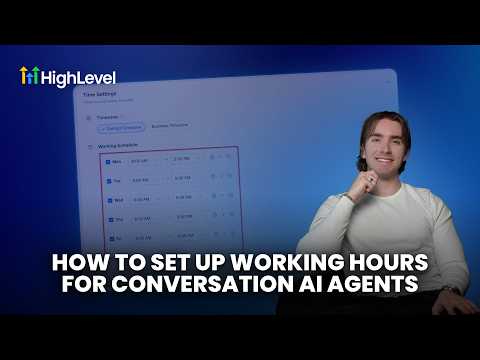
HighLevel Conversation AI agents can now be configured with working hours, channel-specific schedules, and automated off-hours responses.
TL;DR
HighLevel Conversation AI agents can now run on custom working hours, channel-specific schedules, and automated off-hours responses. Check your AI deployment settings if you need to restrict agent replies to business hours.
Who this affects
HighLevel has not confirmed specific account tiers, plan gating, or user roles affected by this update. Any agency running or deploying Conversation AI agents in client sub-accounts should check their deployment settings directly.
What changed
- Working hours and availability schedules can now be enabled and configured for Conversation AI agents in the deployment section.
- Active hours can be assigned to specific communication channels.
- Schedules can be set using either the business time zone or the contact time zone.
- Schedules can be added, duplicated, and copied across days to accommodate lunch breaks and after-hours intervals.
- Settings can be adjusted to allow ongoing conversations to continue after scheduled hours end.
- Inactivity timeouts and automated off-hours replies can be configured.
- Settings allow team notifications and automated follow-ups when business hours resume.
- Plan gating, rollout status, and backward compatibility details have not been confirmed by HighLevel.
Where to find it
Navigate to the deployment section inside HighLevel where Conversation AI agents are configured. HighLevel has not published a complete click-by-click navigation path beyond the deployment section.
How agencies will use this
An agency deploying Conversation AI in a client sub-account can assign the agent to handle SMS and web chat during normal business hours using the business time zone. The agency can split the schedule to handle lunch breaks and set an automated off-hours reply for inquiries that arrive late in the evening. When the agent goes offline, settings can trigger team notifications and schedule automated follow-ups to resume contact the next morning.
Our take
This is a standard, practical update. Unrestricted AI bots firing off messages at odd hours cause client friction, so having channel-specific schedules and contact time zone controls solves an obvious operational headache. It is not an overhaul of Conversation AI, but it is worth tightening up your agent deployment settings this week.
Source: Official HighLevel announcement


